
Early Easter Sale 10% off!
Subscribe to WixLearn - unlimited courses, one low price


Categories
-
 Development
-
 Business
-
 Finance and Accounting
-
 IT and Software
-
 Amazon AWS
-
 AWS Certification
-
 AWS Certified Cloud Practitioner
-
 AWS Certified Developer Associate
-
 AWS Certified Solutions Architect Associate
-
 Cisco CCNA
-
 CompTIA A
-
 CompTIA Network
-
 CompTIA Security
-
 Cyber Security
-
 DevOps
-
 Ethical Hacking
-
 Google Cloud Certification
-
 Information Security
-
 Kubernetes
-
 Linux
Linux
-
 Linux Administration
-
 Microsoft AZ 900
-
 Microsoft Certification
-
 Python 3
-
-
 Office Productivity
-
 Data Analysis 2
-
 Data Modeling 2
-
 Excel 2
-
 Excel Dashboard
-
 Excel Formulas and Functions
-
 Excel Macros
-
 Excel VBA
-
 Google Sheets
-
 Microsoft Access
-
 Microsoft Office
-
 Microsoft Office 365
-
 Microsoft Power Apps
-
 Microsoft Power BI 2
-
 Microsoft Project
-
 Microsoft Word
-
 Pivot Tables
-
 Power Pivot
-
 PowerPoint
-
 SAP
SAP
-
 SharePoint
-
-
 Personal Development
-
 Coaching
-
 Communication Skills 2
-
 Confidence
-
 Creative Writing
-
 Emotional Intelligence
-
 Leadership 2
-
 Learning Strategies
-
 Life Coach Training
-
 Life Purpose
-
Management Skills
-
 Memory
-
 Mindfulness
-
 Neuro Linguistic Programming
-
 Personal Development
-
 Personal Productivity
-
 Personal Transformation
-
 Public Speaking
-
 Speed Reading
-
 Spirituality
-
 Time Management
-
-
 Designs
-
 Marketing
-
 Affiliate Marketing
-
 Business Branding
-
 Content Marketing
-
 Copywriting
-
 Digital Marketing
-
 Facebook Ads
-
 Facebook Marketing
-
 Google Ads Adwords
-
 Google Ads AdWords Certification
-
 Google Analytics
-
 Instagram Marketing
-
 Marketing Strategy
-
 PPC Advertising
-
 SEO
SEO
-
 Social Media Management
-
Social Media Marketing
-
 TikTok Marketing
-
 WordPress 2
-
 YouTube Audience Growth
-
 YouTube Marketing
-
-
 Lifestyles
-
 Photography and Video
-
 Adobe Lightroom
-
 Adobe Premiere
-
 Affinity Photo
-
 After Effects 2
-
 Cinematography
-
 Color Grading
-
 DaVinci Resolve
-
 Digital Camera Functionality
-
 Digital Photography
-
 Filmmaking
-
 Final Cut Pro
-
 iPhone Photography
-
 Mobile Photography
-
 Photography
-
 Photoshop 2
-
 Photoshop Retouching
-
 Real Estate Photography
-
 Video Editing
-
 Video Production
-
 Videography
-
-
 Health & Fitness
-
 Music
Music
-
 Teaching and Academics
-
 Artifical Intelligence
-
 Machine Learning 2
-
 Deep Learning
-
 Natural Language Processing
-
 Computer Vision
-
 Generative AI
-
 Large Language Models
-
 Prompt Engineering
-
 AI for Business
-
 AI Automation
-
 Reinforcement Learning
-
 AI Ethics
-
 Chatbot Development
-
 AI Agents
-
 Speech Recognition
-
 Recommendation Systems
-
 MLOps
MLOps
-
 AI with Python
-
 AI with TensorFlow
-
 AI with PyTorch
-
 Applied Artificial Intelligence
-


























































































































































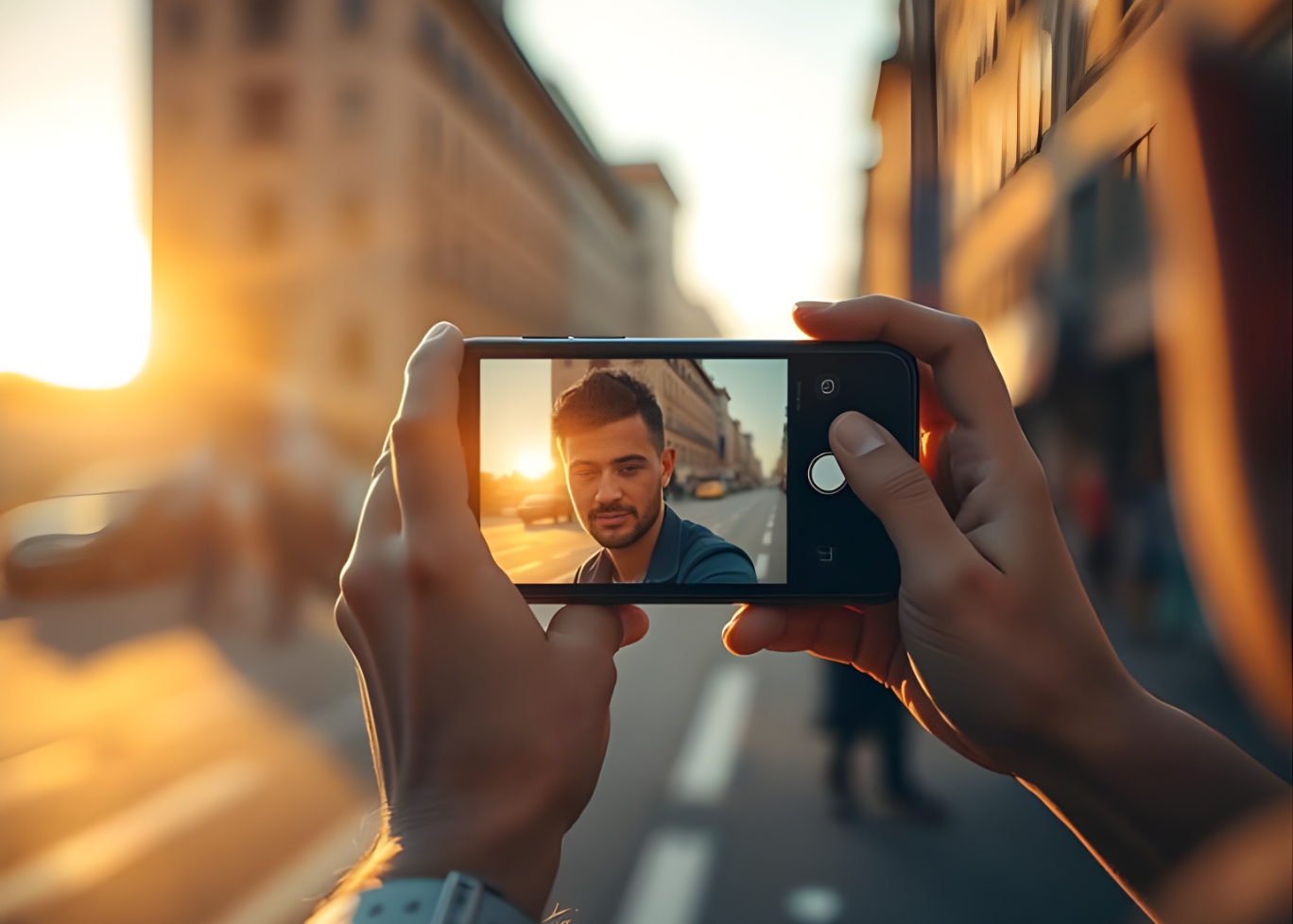
iPhone Photography: Take Sharper, More Professional Photos Today
A practical guide to creating compelling images using light, composition, and intention — not expensive gear.
Practical iPhone photography guide — composition, lighting, and simple editing workflows that help you create sharper, more compelling photos without expensive gear.
iPhone Photography: Take Sharper, More Professional Photos Today
Practical tips and techniques to elevate your iPhone photography from casual snapshots to professional-quality images.
Smartphone cameras have transformed photography by putting powerful tools in nearly everyone’s pocket. Among them, the iPhone stands out for its combination of hardware, software, and computational photography. Yet, many users still struggle to create images that look professional. The key is understanding how to use the tools you already have, rather than relying on filters or post-processing alone.
The first step to better iPhone photography is mastering **composition**. Techniques such as the rule of thirds, leading lines, and framing can dramatically improve the visual impact of an image. Thoughtful composition ensures that your subject is clear and the image tells a story, even before any editing is applied.
Lighting is Everything
Lighting defines mood, depth, and clarity in photography. Natural light is often the most flattering, especially during golden hour—the hour after sunrise or before sunset. Avoid harsh midday sunlight which can create unwanted shadows. If shooting indoors, position your subject near a window to take advantage of soft, directional light.
Understanding exposure on your iPhone is also critical. Use the camera’s exposure slider to adjust brightness manually and prevent blown-out highlights or overly dark shadows. This simple adjustment ensures balanced and professional-looking photos.
Focus and Depth
Focus is more than just tapping the screen. Locking focus on your subject prevents the camera from constantly readjusting, which can blur important details. iPhones also offer portrait mode, which creates a shallow depth-of-field effect, isolating your subject and adding a professional touch.
Experiment with angles and perspectives. Shooting from low or high viewpoints, or using reflections, can make even simple scenes more dynamic. Small changes in position can transform a flat, ordinary photo into something visually compelling.
Stability and Sharpness
Blurry photos are often caused by camera shake. Use both hands to hold your iPhone steadily, or stabilize it against a surface. Tripods or phone mounts are inexpensive tools that can dramatically improve sharpness, especially in low light or long exposures.
Burst mode is another trick for capturing action. Shooting multiple frames quickly increases the chance of a crisp shot, and you can select the best frame afterward.
Post-Processing Techniques
Editing is where great iPhone photos become professional. Native tools in the Photos app allow adjustments to brightness, contrast, saturation, and sharpness. Third-party apps like Lightroom Mobile or Snapseed provide advanced editing features, including selective adjustments and curves.
Consistency in editing style also matters if you are sharing your photos online. Developing a subtle, recognizable style makes your photography look cohesive and professional across multiple images.
Composition Meets Creativity
The best iPhone photographers combine technical skill with creativity. Experiment with shadows, reflections, symmetry, and storytelling elements. Notice the small details that others overlook, and let your unique perspective guide your shots.
Photography is both a technical and artistic practice. By understanding your iPhone’s camera capabilities, mastering composition, controlling light, and refining your editing, you can consistently produce images that rival professional cameras.
Practice and Reflection
Like any skill, photography improves with practice. Take photos regularly, review them critically, and learn from each shoot. Over time, you will develop an intuitive understanding of what works and what doesn’t.
Ultimately, iPhone photography is about using available tools thoughtfully and creatively. With attention to light, focus, composition, and post-processing, anyone can capture sharper, more professional-looking photos and elevate everyday moments into stunning visuals.

Wixlearn
11
Courses
6
Articles
More from Wixlearn

From Zero to Launch: A ...
21 Jan 2026
SEO in 2026: Practical Steps ...
22 Jan 2026
Financial Modeling for ...
22 Jan 2026
Comments
You are studying
iPhone Photography: Take Sharper, More Professional Photos Today
Study Duration
10 Mins.
Subscribe to Our Newsletter

Receive expert insights, course updates, and learning resources directly in your inbox and get notified

Additional Links
Login Register Contact Certificate Validation Become Instructor About Us Terms & Conditions Privacy PolicyContact Us
© 2026 WixLearn. All Rights Reserved. Empowering Learning Worldwide.



Reply to Comment